
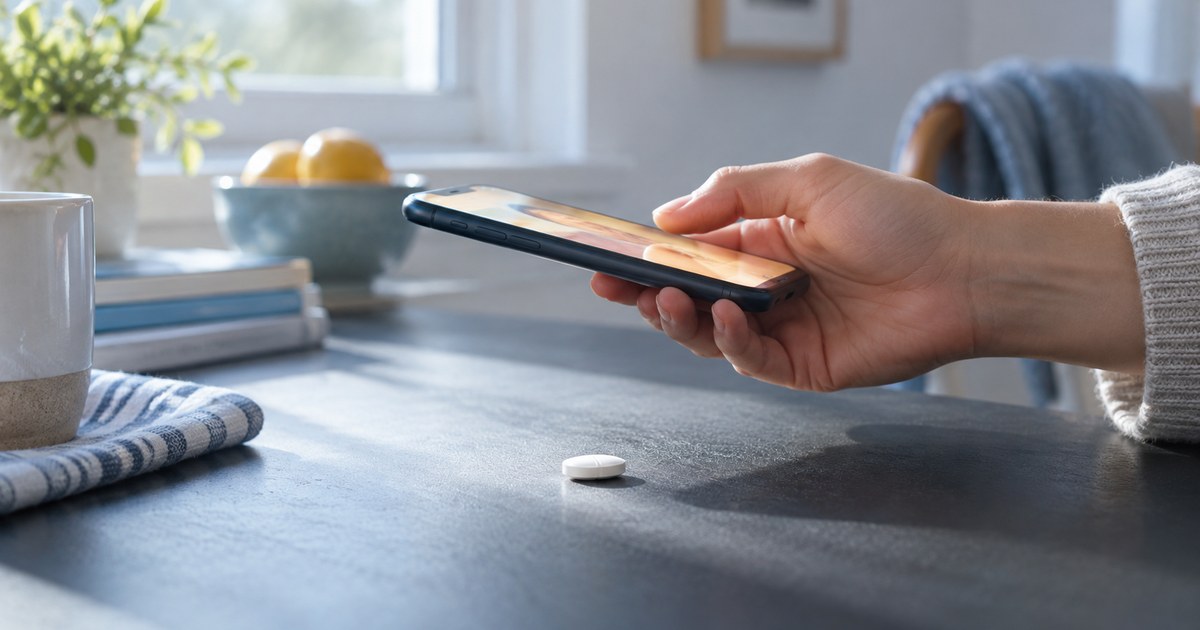
Most failed identifications are not identification failures. They are photography failures. The tablet was fine, the code on it was intact, and the photo simply did not show it. Knowing how to photograph a pill for identification is a five-minute skill, and once you have it, the difference between a confident read and a shrug is usually just where the light was coming from.
To photograph a pill for identification, put it on a plain matte surface in a contrasting color, light it from a low angle to one side so the pressed-in code casts a small shadow, turn the flash off, fill the frame without cutting off the edge, tap to focus on the marking itself, and take one photo of each face.
That is the whole method. The rest of this post is about why each step matters and what to do when the tablet fights back.
Why the marking is the part the camera has to capture
Under federal imprinting rules, most solid oral medicines for human use must carry a code that, together with the tablet’s size, shape and color, allows the product and its manufacturer to be uniquely identified. The same rules define how that code can be applied: debossed (pressed below the surface), embossed (raised above it), engraved (cut in after the tablet is made), or printed with ink.
That detail decides your photography. A debossed or embossed code is a three-dimensional feature, often shallow, on a surface that is frequently the same color as the code. Nothing about it contrasts with its surroundings except the tiny shadow it throws. Printed codes, common on capsules, are flat and colored, so they behave more like text on a page. Shape and color help narrow a match, as explained in pill identifier by color and shape, but the marking is what settles it, and the marking is the thing most photos lose.
How to photograph a pill for identification: light comes first
This is the step that fixes most bad photos on its own.
Overhead light and camera flash hit a debossed code straight on. The pressed-in letters cast no shadow, and on a coated tablet the flash bounces back as a bright patch that sits exactly where the code is. The result is a smooth white disc with a glare spot, and a tool trying to read it sees the same thing you do: nothing.
Light coming in low from one side does the opposite. Each stroke of the code throws a small shadow on one edge and catches a highlight on the other, and the marking pops out in relief. Photographers call this raking light. In a kitchen it is simply daylight from a window with the tablet placed so the window is off to the side, not behind the phone. In the evening it is a desk lamp or a second phone’s torch held low, near table level, a hand’s width from the tablet.
Two practical rules follow. Turn the flash off, every time. And if the code is faint, lower the light rather than brightening it: the flatter the angle, the longer the shadows. Rotate the tablet a quarter turn and look again, since a code reads best when the light runs across the strokes rather than along them.
Background and contrast
The surface under the tablet matters almost as much as the light above it.
Use a plain, matte surface in a color that contrasts with the tablet: a dark placemat or a sheet of colored paper for a white tablet, plain white paper for a dark one. Patterned counters, wood grain, granite and glossy surfaces all add edges and reflections that compete with the marking, and a tablet photographed on a busy background is much harder to separate from its surroundings. A white tablet on a white counter is the single worst case.
Photograph both faces, one photo each. Many tablets carry a letter or logo on one side and numbers on the other, and a code that reads as incomplete is often just a code you have half of. Flip the tablet with a dry fingertip or a piece of paper rather than tweezers, which chip coatings.
Capsules are different. The print sits along the body, sometimes on both halves and sometimes wrapping around, so lay the capsule flat, photograph along its length, then roll it a little and shoot again until the whole printed run is visible in at least one frame.
Framing, focus and a steady hand
Start by wiping the tablet with a clean dry cloth or tissue. Dust, lint and powder residue settle into a debossed code and photograph as part of it, and a smudge across a number is the difference between a match and a near miss. Do not wet it.
Get close enough that the tablet fills most of the frame, but keep its whole outline inside the edges: shape is one of the three features a match is built on, and a cropped edge loses it. Phone cameras have a minimum focusing distance, usually a few inches. If the image goes soft as you move in, back off slightly and let the software crop later.
Tap the screen on the marking itself, not on the tablet’s center, so the camera focuses and exposes for the code rather than for the surface around it. Then hold still. Brace your elbows on the table, or rest the phone on a stack of books with the tablet in front of it. A sharp, slightly dim photo is far more readable than a bright, slightly blurred one.
The hard cases
Some tablets will not give up a clean read on the first attempt. These are the common ones and what actually helps.
A worn imprint. Tablets carried loose in a pocket, bag or organizer rub against each other and the code softens. Drop the light lower still, almost level with the table, and try both faces; wear is rarely even, and the less handled side is often legible. Rotate through several light directions and keep the best frame. Expect a partial read and a shortlist rather than a single answer.
Half a tablet. When a tablet has been split, the code may have been split with it, and the missing half may carry the part that made it unique. Photograph what remains, both faces, and expect a partial match. A tool that returns several candidates for a half tablet is behaving honestly; one that returns a single confident answer from half a code is guessing. Do not try to reconstruct the rest of the code from memory.
A score line, not a marking. A straight groove across one face, sometimes two crossing at right angles, is a score line for breaking the tablet. It is part of the shape description, not part of the code (what the line does and does not mean is covered in scored tablet). If a tablet has a score line and nothing else, treat it as unmarked and photograph the other face carefully, since the code is usually there.
A coated or glossy tablet. Film coatings reflect. If glare persists after the flash is off, move the light further to the side, or diffuse it by holding a sheet of white paper between the lamp and the tablet.
A tablet with a logo only. Some products carry a symbol or monogram rather than letters and numbers. Photograph it the same way; a symbol is still a marking, and shape and color do more of the work in narrowing the match.
What to note beside the photo
The photo carries the tablet’s three features. The context carries everything else, and it is worth capturing at the same time, because it is the first thing a pharmacist will ask about.
- Where it was found. Which room, which bag, which bottle or organizer compartment.
- What was nearby. If there is a box, bottle or blister strip in the vicinity, photograph its label too. The packaging often answers the question outright, and current product labeling on DailyMed lists what the tablets from that package are supposed to look like.
- Whose it might be. Which household member’s medicines were kept there.
Bag the tablet with a note rather than leaving it loose, and do not taste, split or dissolve it to investigate.
After the read
A good photo gives you a first answer in seconds, along with an honest signal of how sure that answer is. The next step is the same whatever the result: take the tablet, the photo and the notes to a pharmacist, who can confirm the identification against their own references and, if it is a household member’s prescription, against the dispensing record. That confirmation is free, takes a couple of minutes, and is the right way to settle anything you plan to act on.
One thing sits ahead of all of this. If a child or a pet may already have swallowed the tablet, do not stop to photograph it. Contact Poison Help at 1-800-222-1222 in the United States for a person, your veterinarian or an animal poison control line for a pet, or emergency services, straight away. They can work from a description, and identification can follow once the person or animal is being looked after.
For the broader picture of how a photo becomes a match, and where a picture stops being enough, see how to identify a pill from a picture. For what to look for in a tool before you trust its answer, see what to look for in a pill identifier app. And for how the codes themselves are structured, what pill imprint codes mean covers it without ever telling you what a specific code means, because that answer changes with the manufacturer and belongs to the current labeling.