Imprint, shape, color
Reads the pill the way a label describes it
The imprint code, the shape and the color are what tell one tablet from another. RxVue reads all three from a single photo and shows you exactly what it read.
Pill identifier for iPhone
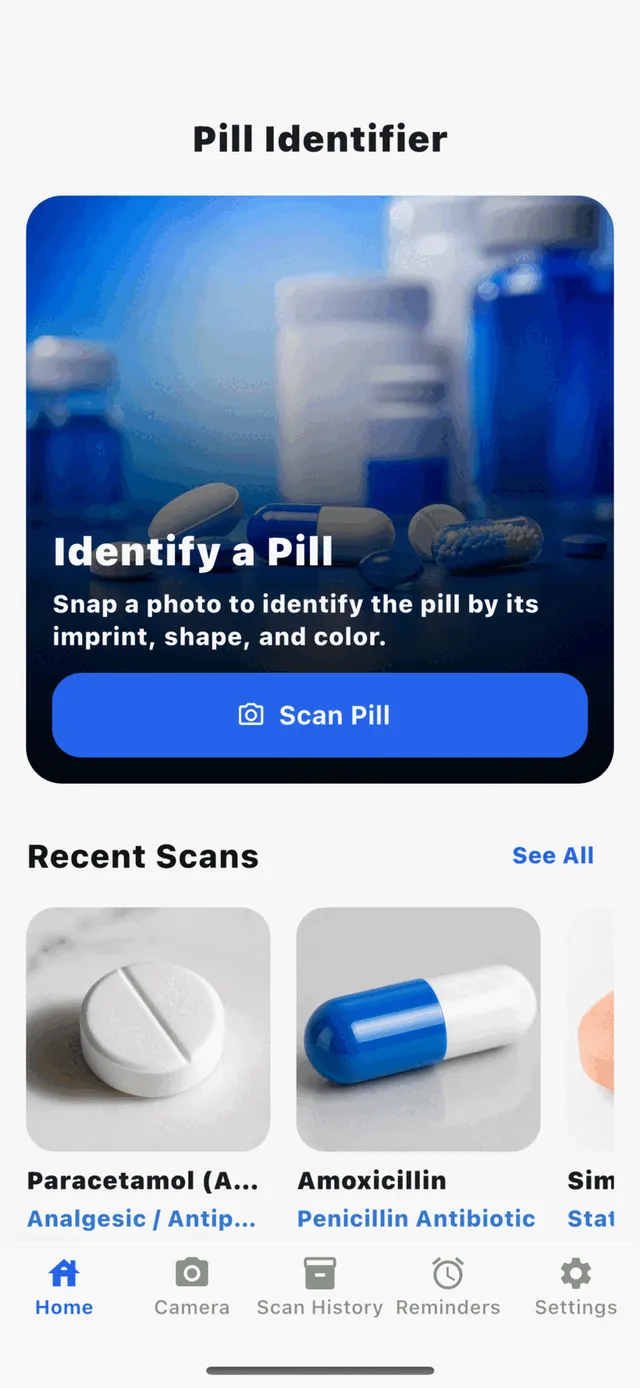
RxVue reads the imprint code, shape and color of a loose tablet or capsule, then shows you the medication name, strength, drug class, common uses and warnings.
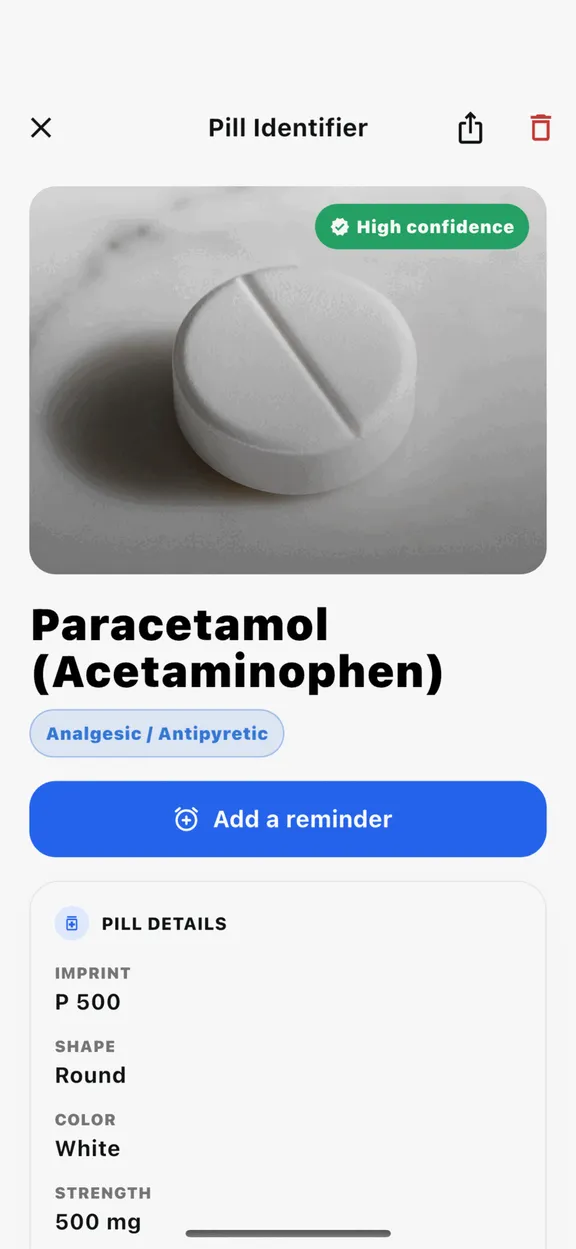
What RxVue reads
The imprint code, the shape and the color are what a pharmacist checks first, because together they narrow a pill down to one medicine. RxVue reads them from your photo and shows you what it read, right next to the answer.
How it works
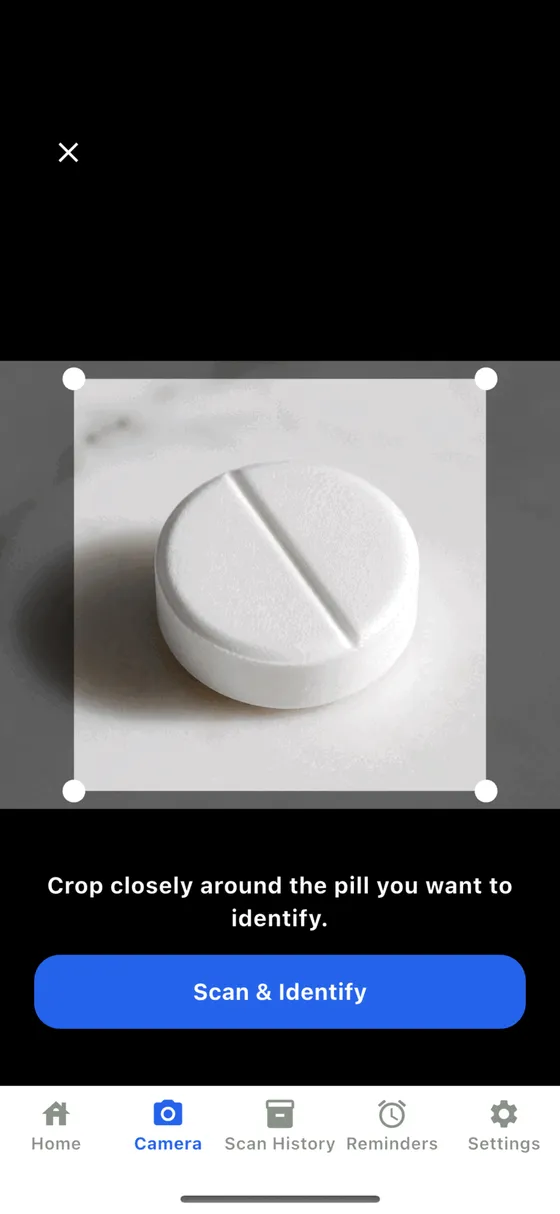
Point your camera at the tablet or capsule and crop tightly around it. Even light and a plain background help the imprint read cleanly.
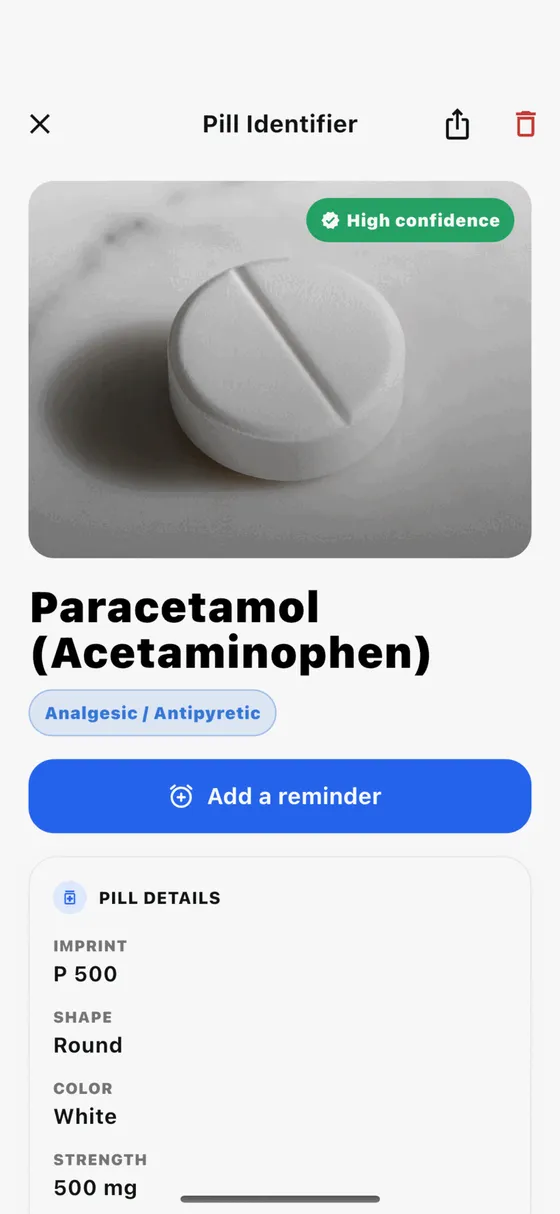
The medication name and strength, a confidence badge, the drug class, and a details card showing the imprint, shape and color that were read, followed by common uses, side effects and warnings.
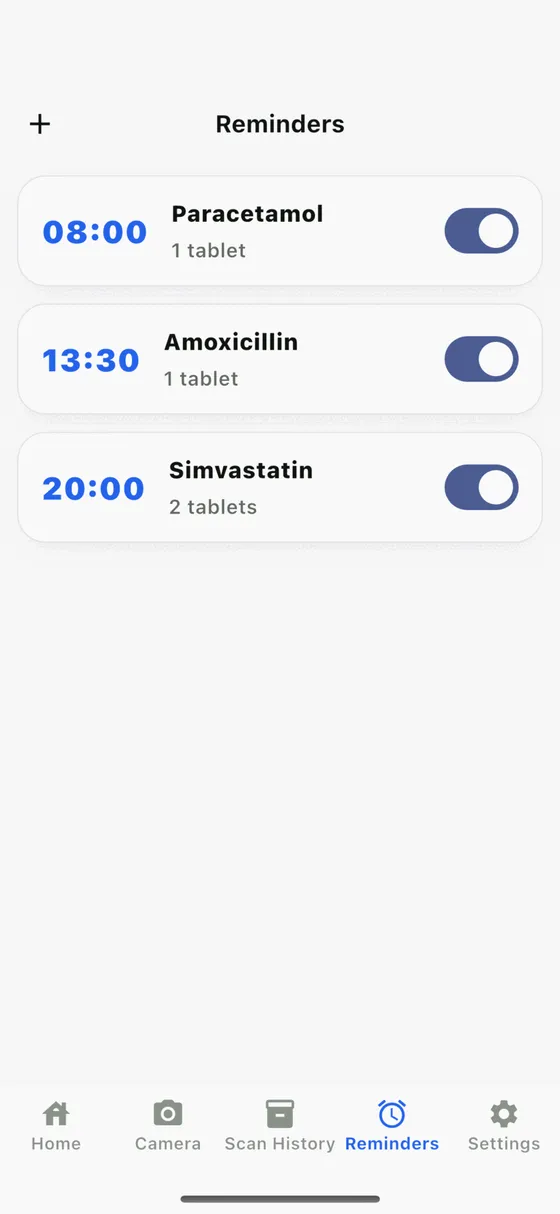
Every scan lands in a private history. Turn any identified medicine into a dose reminder with a time and a tablet count, so a sorted pill box stays sorted.
What one photo gives you
One photo becomes an organized result: what was read from the pill, what the medicine is, and the parts of the label worth knowing before you ask anyone else.
The imprint code, the shape and the color are what tell one tablet from another. RxVue reads all three from a single photo and shows you exactly what it read.
Generic and brand names together, such as Paracetamol (Acetaminophen), with the strength that goes with the imprint, so you can match it against a label or a prescription.
A plain drug class, such as analgesic or penicillin antibiotic, and the common uses that go with it, in language you do not need a pharmacy degree to follow.
Common side effects and the warnings from public medicine labelling, laid out so the lines that matter are the easy ones to find.
No pill in hand, or a photo that will not settle? Type the imprint characters, or pick a shape and a color, and search the same references.
Every scan is kept in a private history inside the app, with the most recent ones a tap away on the home screen. Any identified medicine becomes a dose reminder with a time and a tablet count, handy for a weekly pill box or a course of antibiotics.
When it matters
Know what the pill is before you decide what to do about it. That is the whole job, and RxVue is built to do it quickly and without fuss.
Identify it first. A name, a strength and a drug class turn a worrying unknown into something you can actually talk about.
Bottles and organizers get muddled. Sort them by imprint, shape and color rather than by memory.
Check any compartment against what it should hold, and set a dose reminder for the ones that are easy to miss.
Find out what it is before you keep it, bin it, or hand it back.
Questions
Take a photo of the tablet or capsule, cropped close. RxVue reads the imprint code, the shape and the color, matches them against public medicine labelling, and returns the medication name, strength, drug class, common uses, side effects and warnings.
Even light and a tight crop help most. If a scan does not settle, search by the imprint characters you can read, or by shape and color, and narrow from there.
Yes. Type the imprint code, or choose a shape and a color, and RxVue searches the same references it uses after a scan.
Each result carries a confidence badge, so you can see how cleanly the photo matched. Treat it as a fast, careful first read: it tells you what you are most likely holding, and a pharmacist or your doctor has the final word before you take, change, or stop anything.
Every scan is saved to a private history inside the app, so you can return to a result later or turn it into a dose reminder without searching again.
Yes. RxVue is free to download on the App Store for iPhone.
Download RxVue, point it at the pill, and read the name, strength and drug class before you decide anything else.

Free to download